Setting Up a Point of Sale Area That Doesn’t Slow You Down
The point of sale is where everything comes together — or falls apart. You can have a well-laid-out store, good product placement, and solid traffic, but if checkout is slow or awkward, it drags the whole experience down.
Most issues at the counter aren’t about the system. They’re about the setup.
Space Is Usually the First Problem
A lot of counters are either too cramped or badly organized.
Staff need room to:
- scan items
- bag purchases
- handle returns or exchanges
Customers need space to place their items and pay without feeling rushed or crowded. If both sides are fighting for the same surface area, things get messy fast.
A point of sale counter should have clearly defined zones — one for staff workflow, one for customer interaction. When those overlap too much, everything slows down.
Keep the Work Area Clear
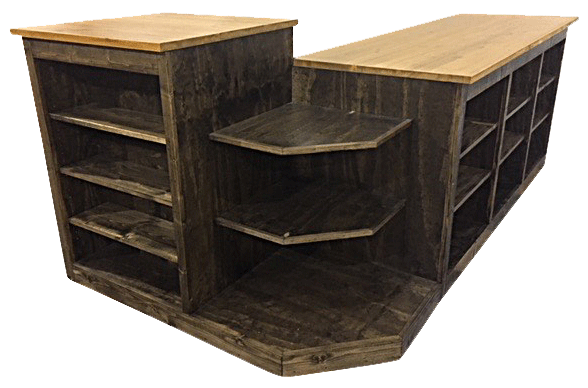
It’s easy for the counter to become a dumping ground.
Receipts, spare tags, random stock, personal items — it all builds up. Once that happens, staff start working around clutter instead of efficiently.
The working area should stay as clear as possible. Only the essentials should be within reach. Everything else needs a proper place, preferably out of sight but easy to access.
Think About Movement, Not Just Placement
It’s not just about where things sit — it’s about how people move.
Watch how staff operate during a busy period:
- Are they turning too much?
- Reaching too far?
- Crossing over each other?
Small inefficiencies add up. Over time, they slow down every transaction.
A good layout reduces unnecessary movement. Everything used frequently should be within a natural arm’s reach.
Storage Needs to Be Practical
Under-counter storage is often wasted.
Either it’s overfilled with things that don’t belong there, or it’s so disorganized that staff avoid using it. That leads to items being left on top of the counter instead.
Keep storage simple:
- group items logically
- avoid overpacking drawers
- keep high-use items easy to grab
If staff can’t find something quickly, it’s in the wrong place.
Don’t Overload the Front
Some stores try to turn the entire front of the counter into a display.
A little bit of product placement is fine, but too much creates problems:
- blocks visibility
- makes the space feel tight
- gets in the way of transactions
The front of the counter should stay mostly clear. If you’re adding products, keep it minimal and controlled.
Tech Setup Should Be Clean
Cables, terminals, scanners — this is where things can start to look messy.
Customers notice more than you think. A cluttered tech setup makes the whole store feel less organized.
Keep wiring tidy, position devices neatly, and avoid stacking equipment in awkward ways. It doesn’t need to be perfect — just clean and functional.
Make It Easy to Reset
At the end of a busy period, staff should be able to reset the counter quickly.
If it takes too long to clean up, the area will stay messy longer than it should. That affects the next customer immediately.
Simple layouts win here again. The fewer moving parts, the easier it is to keep everything under control.
Keep It Working, Not Just Looking Good
A lot of counters are designed to look good when the store is empty. That doesn’t mean they work during real conditions.
Focus on how the counter performs during peak hours. If staff can move efficiently, customers aren’t waiting, and the space stays organized, then it’s doing its job.

Natural Wonders Montessori Wooden Toys Sparking Curiosity
Discover Precision and Clarity – Leupold Monoculars Redefine Optics Excellence
Trading Exotic Spices Opportunities and Risks for New Market Entrants
About Author
